
What's New in Toolpath: Late October 2025
Hey Toolpathers! October is almost over, but the development team isn't letting up with new features. Check out all the exciting features that are new in Toolpath.
In this update:
- Chamfers, Chamfers, Chamfers
- Estimate CSV Downloads
- Stop the Lead Gouging!
- Google Authentication
- Open Pocket Improvements
- Tim's Geek Tips
Did Someone Say Chamfer Deviations?
We all know how easy it is to click that chamfer button and apply chamfers to our part in CAD, but there are cases where applying a chamfer on the bottom on an open pocket — while easy to do in CAD — will result in a difficult-to-machine or impossible feature. Toolpath always struggled with these "blind" chamfers, until now.
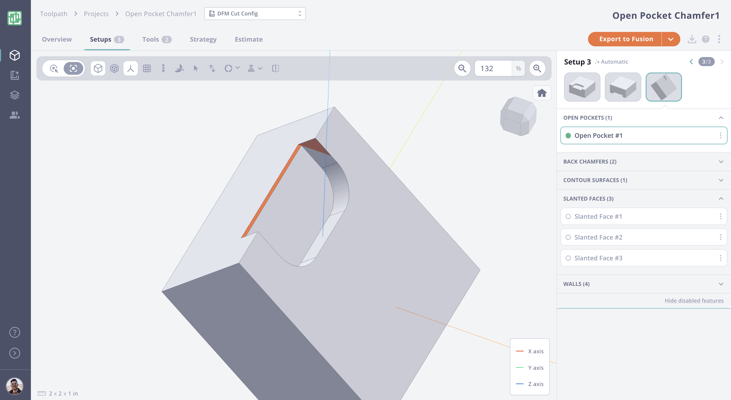
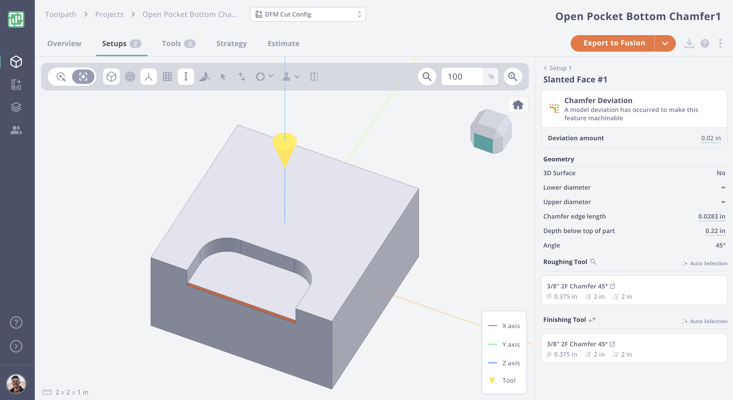
We have just introduced chamfer deviations, where Toolpath will see the chamfer required and then know it can deviate to still machine the chamfer edge even though it won't be able to machine the whole thing.
Before: this blind chamfer required a separate setup.
After: the chamfer is machined in the appropriate setup and shows a Chamfer Deviation.
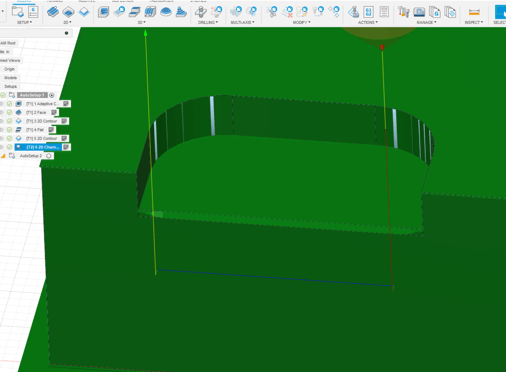
And Toolpath even programs the blind chamfer now:
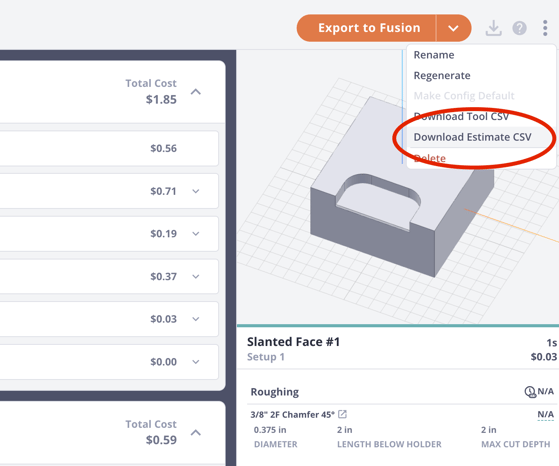
Estimate Download via CSV
Many of you have asked to be able to quickly download a CSV of the estimate. You've got it.
Lead Gouging Improvements
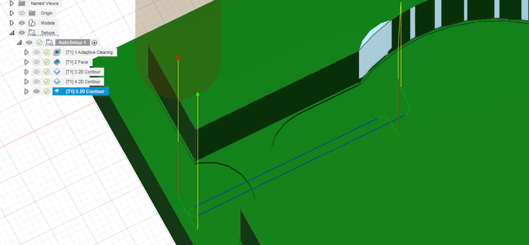
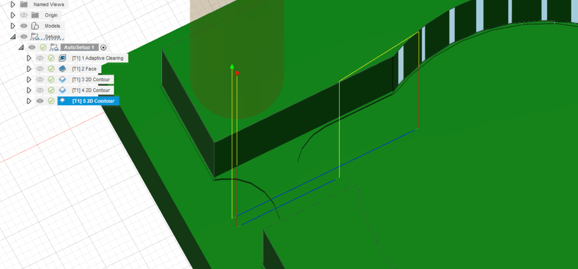
When exporting to Fusion, leads in 2D contour would sometimes gouge parts. Toolpath now uses conservative defaults (radius and distance at 0.05 * tool_diameter), and straight leads when possible (if entry/exit point is on an exterior corner) and arc leads when it is not.
Before:
After:
Google Authentication
Easily sign up for Toolpath with your Google account.
.png?width=379&height=550&name=image%20(1).png)
Open Pocket Improvements
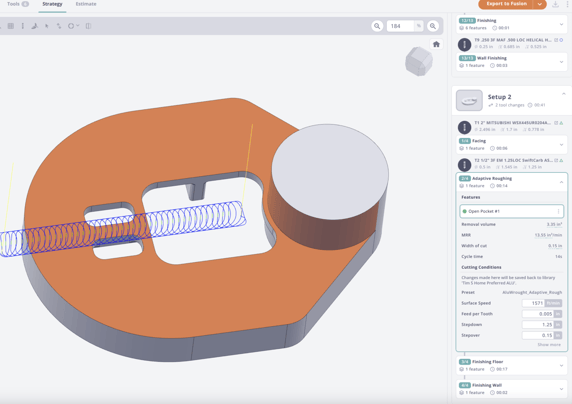
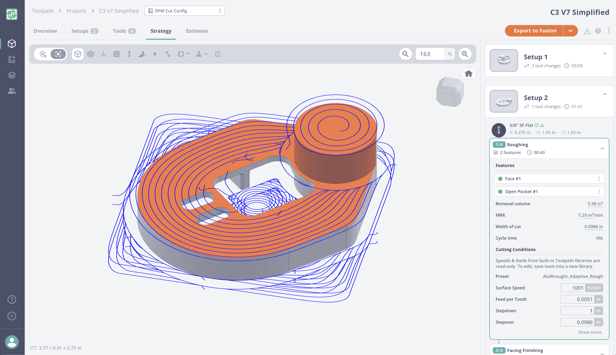
In the past, Toolpath had a tough time when it reached a fully unconstrained open pocket. Sometimes the operation wouldn't remove enough material or give bad results. Open pockets are now handled more consistently.
Before:
After:
Geek Tips: Tim and Sandy Go Geek Mode
Tim teams up with Sandy (engine dev at Toolpath) to take a simple part from first CAD sketch to chips on the floor. We walk through real-world design for machining, review Toolpath CAM, and show Tim's go-to soft-jaw workflow and simulation settings.
If you're into CAM automation, Fusion workflows, or just love crisp surface finishes and tidy deburrs, this one's for you.
.png?width=224&height=195&name=Group%20111%20(1).png)
Toolpath is evolving fast, with new features and improvements rolling out every week. To make sure everyone who has already tried Toolpath can see how far it has come, we are giving all past trial users ongoing, limited access to the platform. This is not a one-time reopening — it is a standing invitation to explore the latest updates, see what is new, and experience Toolpath's continuous growth firsthand. Jump back into your account and play around with all the new features waiting for you.